Skip to content

ATV Remote Release Notes

Brian Harper · A macOS menu bar app for controlling Apple TV from a desktop using keyboard-mapped controls.

CaskAudio & Video 598
Install command
brew install --cask atv-remote
30-day installs
67
#1214 in App
1-year installs
1.3K
Last 365 days
Latest version
2.2.1
Download size
115MB
dmg
Release cadence
Irregular
0 releases in 30 days
  1. 2.2.1

    LatestPatch

    OpenNavo editorial Added to Homebrew

    CompatibilitymacOS 12 or later

    Adds auto-keyboard, fixes bugs (most related to npm audit), and updates the tray icon.

    Changes
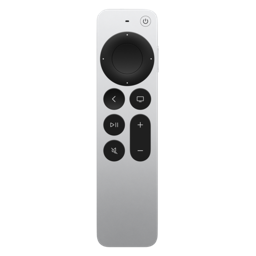
    Adds auto-keyboard; it may be buggy in some apps.Disable auto-keyboard from the context menu if needed.Fixes bugs, most of which are npm audit fixes.Updates the tray icon to look more like the real remote.

    ATV Remote 2.2.1 adds auto-keyboard. The release notes caution that it may be buggy in some apps and say it can be disabled from the context menu. The update also includes bug fixes, most of which are described as npm audit fixes, and a tray icon designed to look more like the real remote.

    The notes mention possibly replacing Intel-only releases with a universal release, but describe this only as a consideration, not a change made in this version.

    Source: https://github.com/bsharper/atv-desktop-remote/releases/tag/v2.2.1

  2. 2.1.1

    Patch

    OpenNavo editorial Added to Homebrew

    Fixes device discovery during scans on Windows.

    Fixes
    New scans on Windows can detect devices again.

    Updated atvjs to fix an issue that prevented scans on Windows from detecting devices. Previously paired devices continued to work; new scans did not find any devices. This release fixes the scan issue.

    Source: ATV Remote 2.1.1 release

  3. 2.1.0

    OpenNavo editorial Added to Homebrew

    Pairing now covers only the Companion protocol. The release refactors pairing and credential storage, fixes an atvjs self-dependency entry, and saves updated device addresses found during rediscovery.

    Pairing
    Removed AirPlay pairing; only Companion is paired.Existing 2.x users should not need to pair again.
    Other
    Refactored pairing, state, and credential storage for AirPlay-less connections.Fixed an entry listing atvjs as a dependency of itself.Saves a rediscovered device's new IP/port during an atvjs connection.

    ATV Remote 2.1.0 removes the AirPlay pairing step, so only the Companion protocol is paired and a single pairing step is required. Users already running a 2.x version should not need to pair again. Pairing and state logic, along with credential storage, were refactored to support connections without AirPlay.

    The release also fixes an upstream dependency issue that incorrectly listed atvjs as a dependency of itself. The release notes say this may have contributed to Electron Builder out-of-memory errors. When a device is found at a new IP address or port during a connection with atvjs, ATV Remote saves the updated values to help speed up future connections.

    Official release notes

  4. 2.0.4

    Expand

    GitHub Release Added to Homebrew

    • Mostly bug fixes

    • Updated atv-js to attempt port change on connection error with companion protocol.

    • Added cleanup code to remove old Python environment from storage path to clear up space.

  5. 2.0.1

    Expand

    GitHub Release Added to Homebrew

    What's Changed

    • Uses standalone JS library (ported from pyatv) to communicate with ATVs
    • No Python install
    • Generally much faster to load, feels much snappier in use

    Important

    • You will need to re-pair your Apple TV with this version. You should only need to do this once.
    • This is a pretty substantial change (previous version is probably more battle-tested).
  6. 2.0.0beta

    Expand

    GitHub Release

    This is based on the atvjs2 branch of the code.

    This uses a standalone library that does not require Python. It is known to be buggy! There are several cleanups needed, and the library (atvjs) is an unofficial partial port of pyatv. In other words this library is new, but entirely derived from pyatv.

    Known bugs:

    • sometimes after pairing, you have to press Command+R / Control+R to refresh or it'll start pairing again.
    • no filtering on devices, all devices, even ones we can't control are shown
    • possibly marginally higher network usage (atvjs uses polling to determine keyboard state, this should be fixed in the future)

    Some good things:

    • getting rid of the websocket/python layer makes inputs register faster. It feels snappier
    • much faster first start.

    This is a .0.0 pre-release. Please lower your expectations accordingly.

  7. 1.4.3

    Expand

    GitHub Release Added to Homebrew

    v1.4.3 - Upgrade electron

    No significant changes other than upgrading electron to the latest version. If you are building at home, the only issue this may cause is that menubar has an exclusion of anything over electron 33, and we are now at electron 38.

    The reason for the upgrade was related to this: https://github.com/bsharper/atv-desktop-remote/issues/60 (Tahoe related performance issue related to window shadows or something, anyway it's fixed in latest electron)

    Full Changelog: https://github.com/bsharper/atv-desktop-remote/compare/v.1.4.2...v1.4.3

  8. 1.4.2
  9. 1.4.1-prerelease

    Expand

    GitHub Release

    v.1.4.1

    Changes to pyatv integration should make connections work more robustly. This also filters scan results to only show Apple TVs (and not HomePods, Macs, etc). Both macOS versions should be correctly notarized (this probably should be a release version).

    I'm also including AppImage builds here for Linux, x64 and arm64 versions.

  10. 1.3.7
  11. 1.1.6

    Expand

    GitHub Release

    Small bug fixes and some minor updates to the server scripts, let me know if you run in to any issues with this version that didn't exist in the previous versions.

  12. 1.1.3-prerelease

    Expand

    GitHub Release

    v1.1.3

    Changes in v1.1.3

    • Added keyboard input status to keyboard input window
    • Fixed dark mode in keyboard input window
    • Added atv_pip_install.log output when the initial install happens

    Below is the text from the v1.1.1 release which is still relevant here:

    This release adds the ability to enter text with a keyboard, thanks to pyatv adding that capability. To open the keyboard input window, press 'k' or click 'Use Keyboard'. If you do not see 'Use Keyboard', you likely need to re-pair with your ATV, the keyboard uses a different protocol (Companion) than normal remote commands (AirPlay). This also means you have to enter in 2 codes while pairing.

    If you have a skip_file_write file in your working directory (~/Library/Application Support/ATV Remote on macOS, %APPDATA%/ATV Remote on Windows), you MUST remove it to allow the new server to be put in place.

    This version also changes how pyatv is installed. It attempts to create an env directory that everything is installed in. If you had problems with Python in previous releases, you can still customize how the server is run by adding a skip_file_write file in the working directory, but only after allowing the program to run once to copy the new server in place.

  13. 1.1.1

    Expand

    GitHub Release

    This release adds the ability to enter text with a keyboard, thanks to pyatv adding that capability. To open the keyboard input window, press 'k' or click 'Use Keyboard'. If you do not see 'Use Keyboard', you likely need to re-pair with your ATV, the keyboard uses a different protocol (Companion) than normal remote commands (AirPlay). This also means you have to enter in 2 codes while pairing.

    If you have a skip_file_write file in your working directory (~/Library/Application Support/ATV Remote on macOS, %APPDATA%/ATV Remote on Windows), you MUST remove it to allow the new server to be put in place.

    This version also changes how pyatv is installed. It attempts to create an env directory that everything is installed in. If you had problems with Python in previous releases, you can still customize how the server is run by adding a skip_file_write file in the working directory, but only after allowing the program to run once to copy the new server in place.

  14. 1.0.0-beta

    Expand

    GitHub Release

    v1.0.0 beta release

    Beta version that works with tvOS 15. Requires Python 3 to work!

    On launch, this program will run python3 -m pip install -q --user websockets pyatv to install the dependencies needed for the server component of this program to run.

    If this doesn't start properly, search for where wsserver.py is either in AppData or Application Support. If you create a file called skip_file_write in that directory, this program will stop creating the server files every time at launch, meaning you can modify the files to try to get things running. The goal is to be able to run start_server.sh or start_server.bat and successfully start the server component of this program. Try running those scripts directly and report any errors you are seeing.

    Also note that this does take a little longer to start than the previous version. Once it's up and running it should work similarly to the previous version.

  15. 0.9.8

    Expand

    GitHub Release

    This release will hopefully work for some of the people who weren't able to start the previous release.

    Windows version

    Download ATV Remote Setup 0.9.8.exe. It is a one-click installer that doesn't require admin rights. It should start after it's installed, if you don't see anything check the tray icons, the remote icon should be in there.

    macOS version

    The file ATV.Remote-0.9.8-universal.dmg runs natively on both M1-powered Macs and Intel-based Macs. Great! But because the application contains both Intel and ARM versions of the application, it's much, much larger.

    If you want a smaller version (which is admittedly still pretty big, but that's electron.js for you) get either:

    • Intel-based Macs: ATV.Remote-0.9.8.dmg
    • ARM-based Macs (M1): ATV.Remote-0.9.8-arm64.dmg

    Please create an issue if you have a problem running this. Thanks!

  16. 0.9.7

    Expand

    GitHub Release

    This is the version I've been using for a while, it should work on macOS and Windows.

    Update: added ARM64 builds for Macs running on M1 processors.